
useDocumentContext
The useDocumentContext hook provides access to the PDF document context, including the PDFDocumentProxy object and cached pages.
Return Type
Section titled “Return Type”| Name | Type | Description |
|---|---|---|
| loaderProgress | number | Represents the loading progress of the PDF file as a percentage (from 0 to 100) |
| PDFDocumentProxy | undefined | Hold the PDFDocumentProxy object once the PDF has loaded, providing access to the PDF’s structure and content | |
| pages | Map<number, PdfPage> | Cache all pages of the PDF file when loaded, using pdf.getPage to store each page in a Map for faster retrieval |
| pdfProperties | PdfProperties | undefined | Provide metadata or properties of the PDF document such as title, author, page count and etc. (if available) |
To ensure the document context can be accessed, you will need to use useDocumentContext inside a component which is a child of RPProvider.
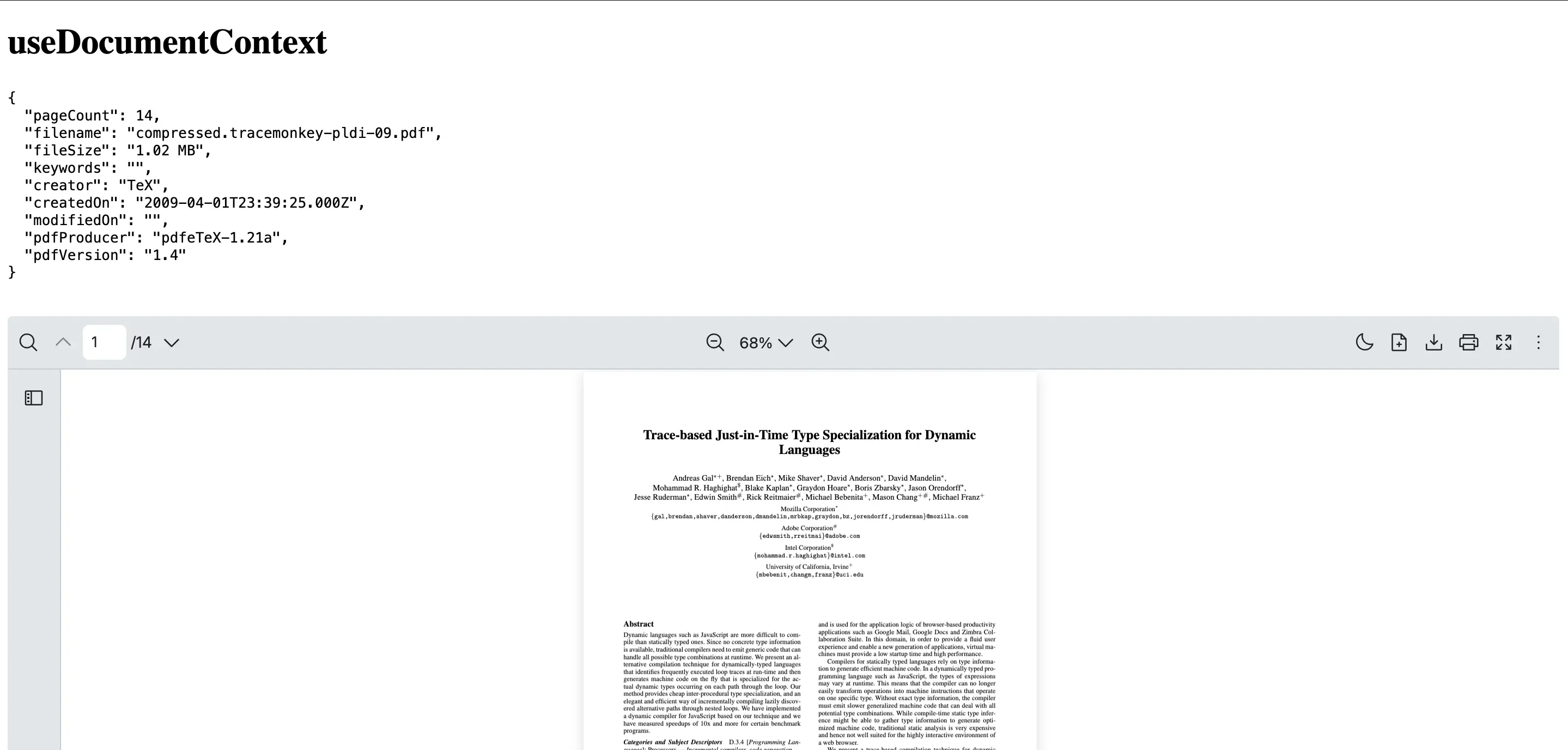
This example shows how to create a DocumentInfo component which uses useDocumentContext to display PDF metadata like title, author and etc.
import {  RPConfig,  RPProvider,  RPPages,  RPDefaultLayout,  useDocumentContext} from '@pdf-viewer/react'
const DocumentInfo = () => {  const { pdfProperties } = useDocumentContext()  return <pre>{JSON.stringify(pdfProperties, null, 2)}</pre>}
export const AppPdfViewer = () => {  return (    <RPConfig licenseKey="YOUR_LICENSE_KEY">      <RPProvider src="https://raw.githubusercontent.com/mozilla/pdf.js/ba2edeae/web/compressed.tracemonkey-pldi-09.pdf">        {/* This component will display the PDF metadata */}        <DocumentInfo />        <RPDefaultLayout>          <RPPages />        </RPDefaultLayout>      </RPProvider>    </RPConfig>  )}
import { type FC } from 'react'import { RPConfig, RPProvider, RPPages, RPDefaultLayout, useDocumentContext} from '@pdf-viewer/react'
const DocumentInfo: FC = () => { const { pdfProperties } = useDocumentContext() return <pre>{JSON.stringify(pdfProperties, null, 2)}</pre>}
export const AppPdfViewer: FC = () => { return ( <RPConfig licenseKey="YOUR_LICENSE_KEY"> <RPProvider src="https://raw.githubusercontent.com/mozilla/pdf.js/ba2edeae/web/compressed.tracemonkey-pldi-09.pdf"> {/* This component will display the PDF metadata */} <DocumentInfo /> <RPDefaultLayout> <RPPages /> </RPDefaultLayout> </RPProvider> </RPConfig> )}