
usePaginationContext
The usePaginationContext hook provides access to pagination-related state and functions for navigating through pages in a PDF document.
This is useful when building custom navigation controls or displaying page information.
Return Type
Section titled “Return Type”| Name | Type | Description |
|---|---|---|
| focusedPage | number | The current page number that is currently focused or being viewed |
| goToPage | (page: number| string) => SetPageResult | Update the focused page and scroll to that page. Return true if successful and false if otherwise |
| totalPages | number | The total number of pages in a PDF document |
| setTotalPages | (page: number) => void | Update the total number of pages in a PDF document |
| prevPage | () => void | Navigate to the previous page if it exists |
| nextPage | () => void | Navigate to the next page if it exists |
To ensure the pagination context can be accessed, you will need to use usePaginationContext inside a component which is a child of RPProvider.
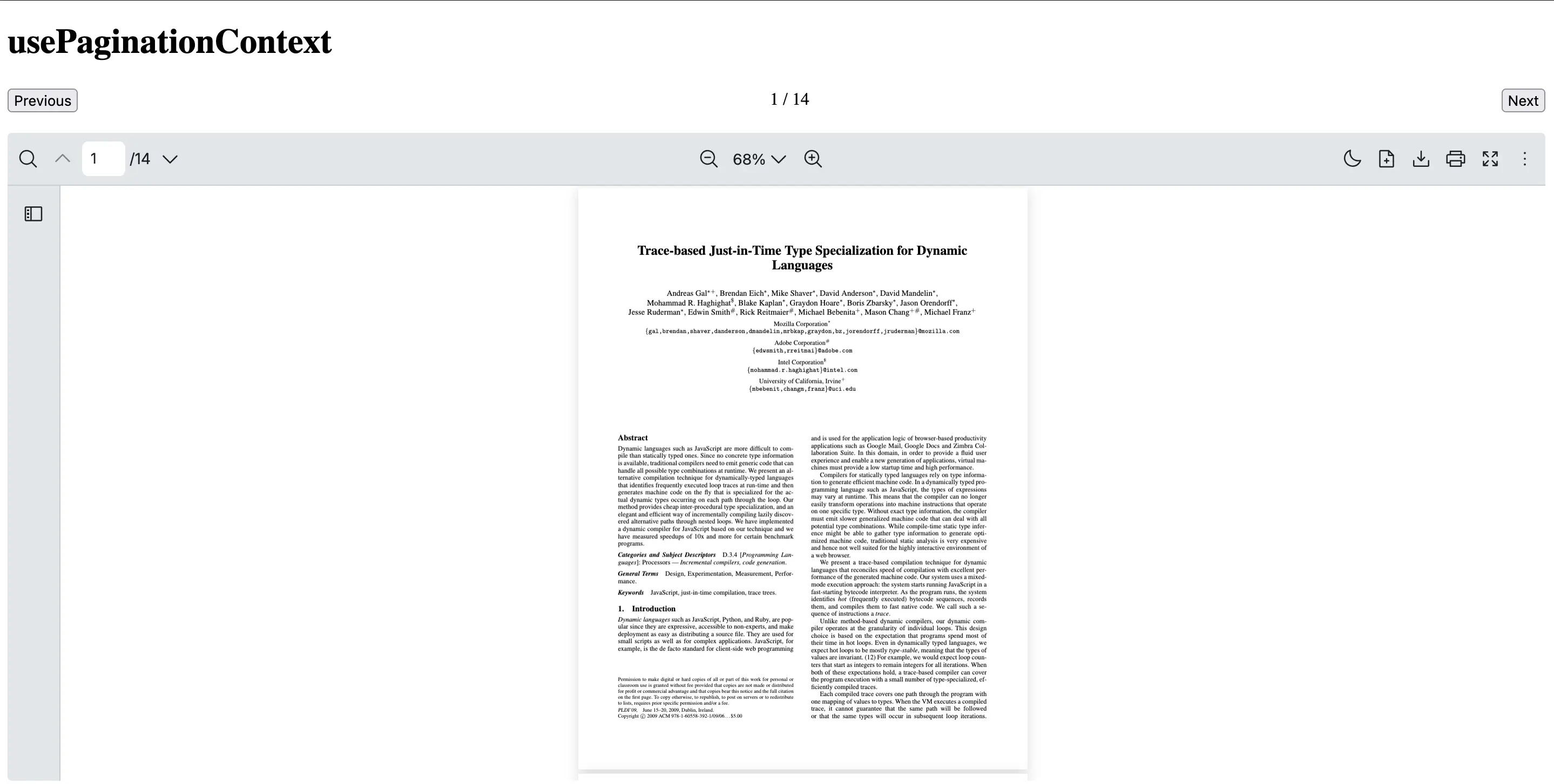
This example shows how to create a CustomPagination component which uses usePaginationContext hook to handle pagination functionalities.
import {  RPConfig,  RPProvider,  RPDefaultLayout,  RPPages,  usePaginationContext} from '@pdf-viewer/react'
const CustomPagination = () => {  const { focusedPage, totalPages, prevPage, nextPage } = usePaginationContext()  return (    <div      style={{        display: 'flex',        gap: '10px',        justifyContent: 'space-between',        alignItems: 'center'      }}    >      <button onClick={prevPage}>Previous</button>      <span>        {focusedPage} / {totalPages}      </span>      <button onClick={nextPage}>Next</button>    </div>  )}
export const AppPdfViewer = () => {  return (    <RPConfig licenseKey="YOUR_LICENSE_KEY">      <RPProvider src="https://raw.githubusercontent.com/mozilla/pdf.js/ba2edeae/web/compressed.tracemonkey-pldi-09.pdf">        <CustomPagination />        <RPDefaultLayout>          <RPPages />        </RPDefaultLayout>      </RPProvider>    </RPConfig>  )}
import { RPConfig, RPProvider, RPDefaultLayout, RPPages, usePaginationContext} from '@pdf-viewer/react'import { type FC } from 'react'
const CustomPagination: FC = () => { const { focusedPage, totalPages, prevPage, nextPage } = usePaginationContext() return ( <div style={{ display: 'flex', gap: '10px', justifyContent: 'space-between', alignItems: 'center' }} > <button onClick={prevPage}>Previous</button> <span> {focusedPage} / {totalPages} </span> <button onClick={nextPage}>Next</button> </div> )}
export const AppPdfViewer: FC = () => { return ( <RPConfig licenseKey="YOUR_LICENSE_KEY"> <RPProvider src="https://raw.githubusercontent.com/mozilla/pdf.js/ba2edeae/web/compressed.tracemonkey-pldi-09.pdf"> <CustomPagination /> <RPDefaultLayout> <RPPages /> </RPDefaultLayout> </RPProvider> </RPConfig> )}